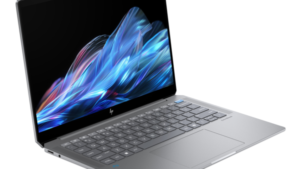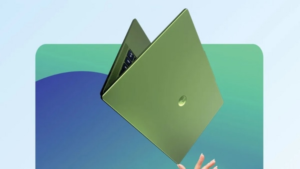

Asus Vivobook 14 Flip review: It’s not easy to find a laptop that ticks all the boxes, but also comes within a reasonable budget. While there are many OEMs that offer laptops with advanced features, performance, and AI experience, Asus is one such brand that offers great laptop models with eye-catching features across the ranges. From an impressive workstation laptop to a gaming focused laptop. However, if you are someone who is looking for an all-in-one laptop, then the Asus Vivobook 14 Flip is the company’s new offering to provide users with a multi-functional experience. It is a 2-in-1 laptop that offers a 360-degree rotating hinge, allowing the user to quickly convert the laptop to tablet and other modes.
Combined with its 2-in-1 laptop capabilities, the Asus Vivobook 14 Flip offers a best-in-class display, powerful performance, a seamless AI experience, and long-lasting battery life, making it a multi-faceted laptop to carry out any type of task with ease. To learn more about the Asus Vivobook 14 Flip, read our detailed review.
Read also: ASUS Unveils New Range of Vivobook, Zenbook and Gaming V16 Laptops in India – All Details


I’m not sure who
Laptop to buy?
Asus Vivobook 14 Flip review: Design
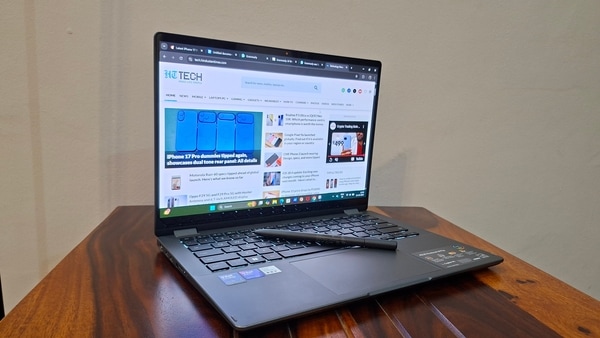
The Asus Vivobook 14 Flip comes with a compact and lightweight design, which not only looks premium but also matches the aesthetics perfectly. In terms of numbers, the laptop is 1.69cm long and weighs just 1.5kg which is very light to carry. The laptop has an aluminum alloy chassis and comes in a single matte gray color option which not only looks attractive but also retains a great build quality. Thanks to the 360-degree hinge, the laptop can be converted into several different modes including tent, tablet, stand and laptop. I mostly relied on tent mode for streaming purposes. Overall, the Asus Vivobook 14 Flip has an attractive design in terms of look and feel, making it a great choice if you’re looking for sleek aesthetics.
For seamless data transfer, the laptop includes a Thunderbolt 4 USB-C port and a USB 3.2 Gen 2 Type C port. It also features an HDMI port, a USB 3.2 Gen 2 Type-A port, a USB 3.2 Type-A port, a microSD card reader, and an audio combo jack. For smooth typing and scrolling, the Asus Vivobook 14 Flip features an extended ergonomic touchpad coated with a hydrophobic material and an advanced anti-fingerprint PVD coating that provides a smooth navigation experience. Plus, it doesn’t attract dust or fingerprints, which is a plus for a seamless experience. One of the unique touchpad features is smart gestures that include brightness and volume control and enable users to fast forward and rewind.
The Asus Vivobook 14 Flip keyboard features an ErgoSense design that offers 1.7mm of key travel and key spacing, providing a comfortable typing experience. Both the trackpad and keyboard are responsive, so you just have to touch gently to activate the functions. The keyboard also comes with a backlight, allowing you to continue working even in a dark room. Being in the editorial office, working with keyboards for 10-12 hours a day, I thoroughly enjoy typing on the Asus Vivobook 14 Flip. Not only did I feel like my typing speed increased, but I was also able to get more done thanks to the smooth experience.
Asus Vivobook 14 Flip review: Display
The Asus Vivobook 14 Flip features a 14-inch ASUS Lumina OLED touchscreen display that is a visual feast for the eyes. The display produces clear and vibrant colors, making it a device worth watching. Once you get this laptop, you will seriously forget about watching content on your mobile phone or a big screen TV, because this small screen makes the entire experience worthwhile. I watched a lot of content on the device including the new movie “The Electric State” and “Black Swan”, and some series that provided an unparalleled viewing experience with great dynamic range, crisp detail and simply enjoyable. So, if you are planning to buy a laptop for entertainment purposes only, then this is it. However, some 4K 60fps videos on YouTube became softer and looked like AI-generated content, which may require you to change your display settings.
The Asus Vivobook 14 Flip also offers a 60Hz refresh rate, making your touch experience smooth and lag-free. It also supports the Asus Pen 2.0, which is ideal for use in creative work, or just writing handwritten notes in tablet mode. To be honest, using the pen was very rare for me, as I was mostly able to do work in laptop mode and watched content in tent mode. However, the S Pen comes in really handy while editing video. Finally, the Asus Vivobook 14 Flip just above the bezel features an FHD IR camera that comes with Windows Studio effects and a magnetic-assisted privacy shutter. The camera is perfect for your video conferences.
Asus Vivobook 14 Flip review: Performance
The Asus Vivobook 14 Flip is powered by an Intel Core Ultra 7-256V processor paired with 16GB LPDDR5X storage and a 512GB PCIe Gen 4 SSD. This combination ensures blistering performance and ease of multitasking. Since my day-to-day work involves a lot of research, drafting and editing articles, and video editing, I work with browser tabs and applications open simultaneously. While running the business, I did not experience any stuttering and the whole experience was completely smooth. Therefore, the Asus Vivobook 14 Flip provides a smooth multitasking experience. Surprisingly, the laptop did not heat up at all despite using it for 9 to 10 continuous hours of heavy usage. With Intel Arc Graphics, you can also run casual games, but it may not be able to run heavy games.
In terms of AI experiences, you get a dedicated Copilot key that unlocks the chatbot instantly, enabling users to resolve their queries. With this, you can locate files and summarize web pages seamlessly. However, it was not used much because many web pages did not allow it to support this feature. However, if you’re using Microsoft Edge, you can perform a visual search, save an image, and more with simple clicks. Moreover, the laptop comes with a new AI-powered photo management app called StoryCube that can organize your photos and provide easy editing tools as well.
Asus Vivobook 14 Flip review: Battery
The Asus Vivobook 14 Flip is backed by a 70Wh lithium polymer battery that offers impressive battery life. I was able to get about 10 to 12 hours of work on a single charge, and I was absolutely amazed at the battery life. So, if you forget your charger at home, you may not have to worry about draining the battery if it is fully charged. Along with the always-on battery life, the Vivobook 14 Flip also comes with a 65W adapter that quickly recharges the device. It takes about an hour and a half to fully charge your laptop, making it convenient for people who are always on the go.
Asus Vivobook 14 Flip review: Verdict
Now, who should buy the Asus Vivobook 14 Flip? Well, a laptop is great for entertainment purposes, if you rely on a larger screen to consume content. In addition, it is a convertible laptop, so it can also be used as a tablet with Asus Pen 2,0. This laptop handles heavy work and multitasking with ease, making it suitable for productivity purposes. Therefore, under Rs. 1 lakh Asus Vivobook 14 Flip is a great laptop for everyday use and productivity. Moreover, it can also handle light games, so if you are a casual gamer, you shouldn’t be disappointed.
Product name
VivoBook 14 Flip
to set
14 inches
Intel Core Ultra 7
70 watts
16 GB
512 GB

Our principles
Complete transparency
Each product review is clearly listed Pros and consGiving you a balanced view.
Brand trust
We focus on products from leading brands Proven reputation and long-term market trust For a long time.